> For the complete documentation index, see [llms.txt](https://ai-chatbot.gitbook.io/help/llms.txt). Markdown versions of documentation pages are available by appending `.md` to page URLs; this page is available as [Markdown](https://ai-chatbot.gitbook.io/help/publish/wordpress-config.md).
# WordPress сайтад тохируулах
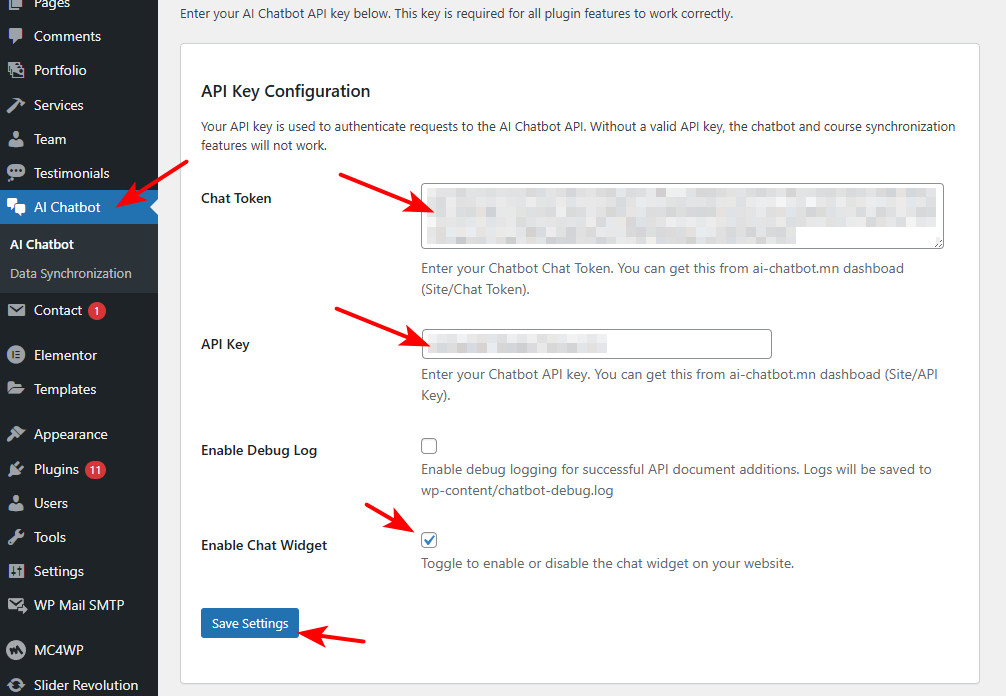
WordPress сайтад хялбараар тохируулах заавар. Интеграци хэсэгт байрлах Plugin татах товч дээр дарж AI chatbot plugin-г татаж авна.
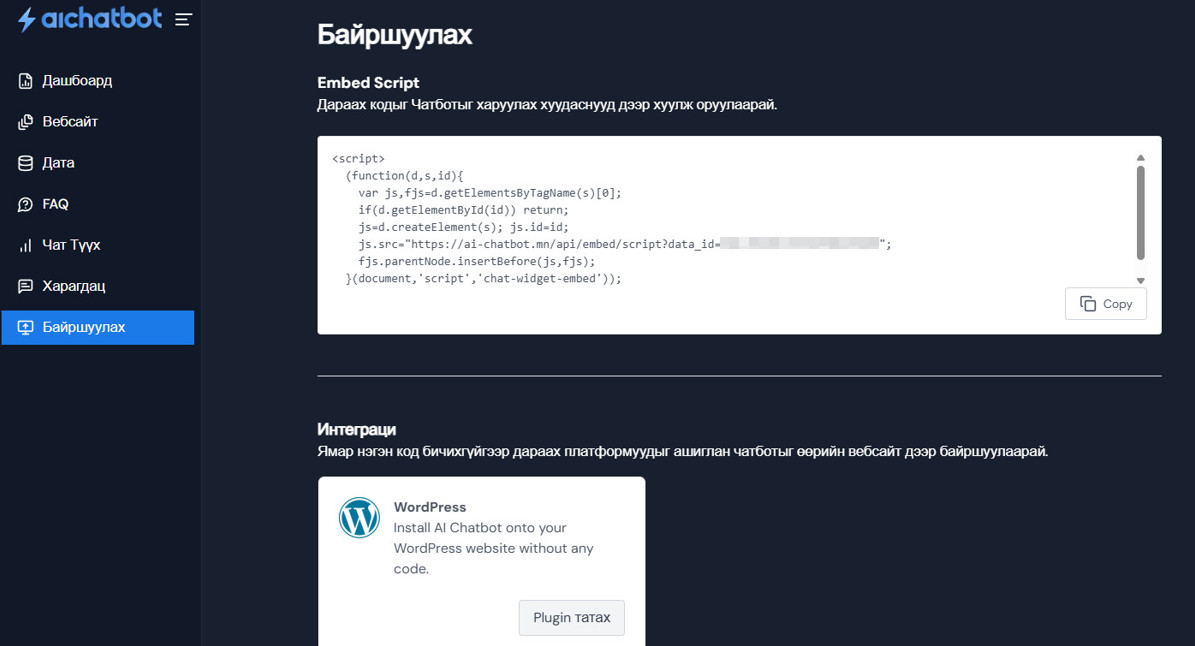 WordPress Admin > Plugin > Upload Plugin дээр дарж татаж авсан Plugin-аа суулгаж, идэвхижүүлнэ.
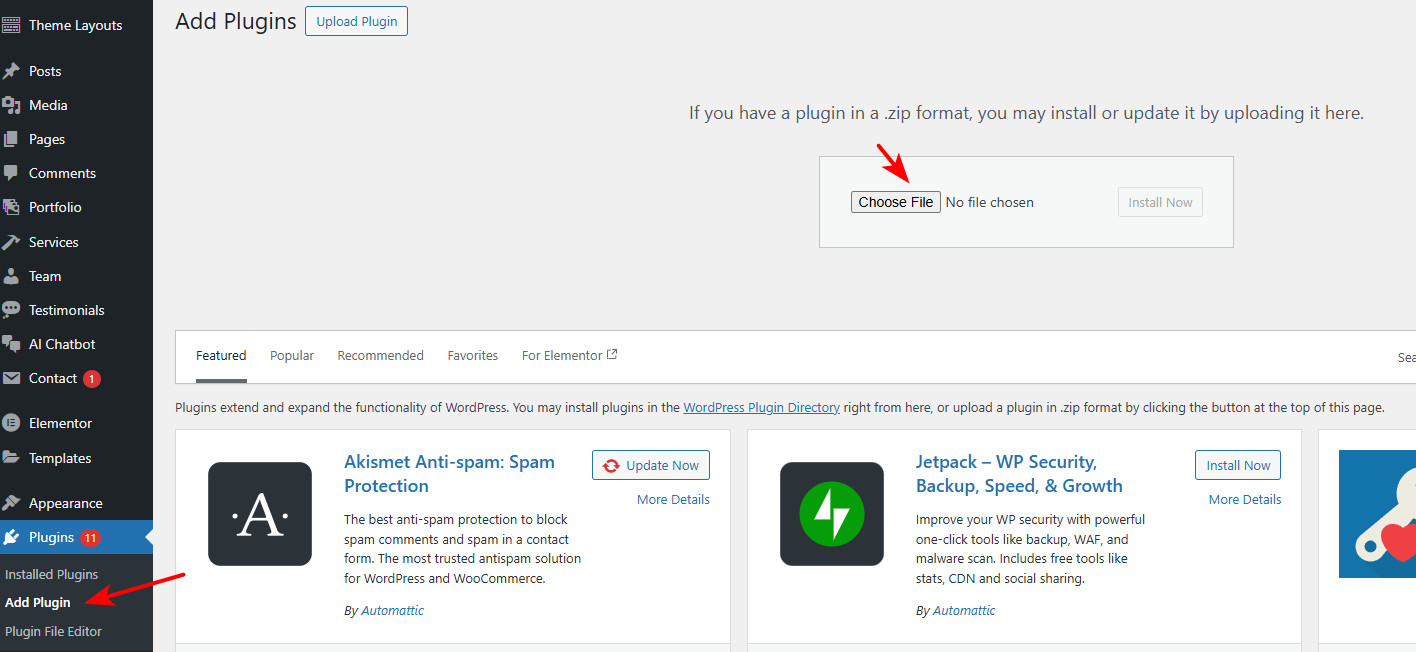 Chat Token болон API key-г авахдаа ai-chatbot.mn рүү орж ВЕБСАЙТ > Харах/Засах хэсэг рүү орно.
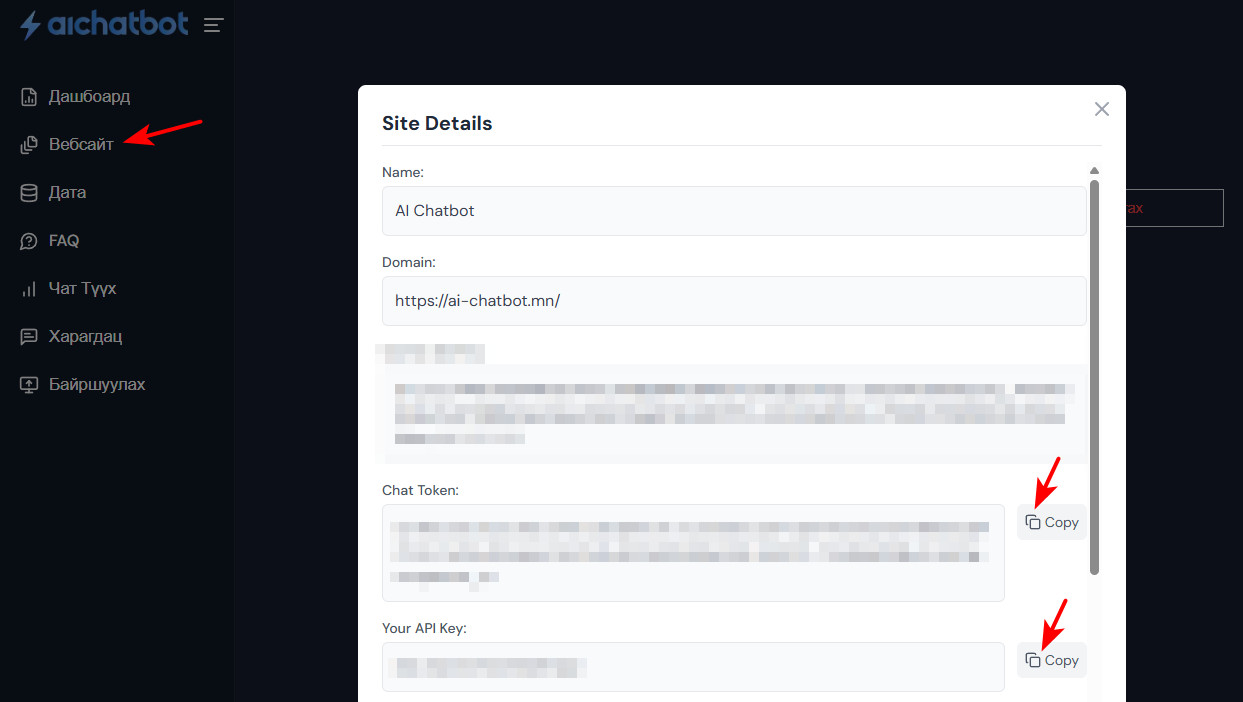 Хуулж авсан мэдээллүүдээ WordPress Admin> AI Chatbot хэсэг рүү орж холбогдох хэсэгт оруулна. Enable Chat Widget - ийг Check хийж, SAVE SETTINGS товч дээр дарснаар AI Chatbot таны вебсайт дээр ажиллаж эхэлнэ.